Whole Home Control
A house with many systems should still feel like one home.
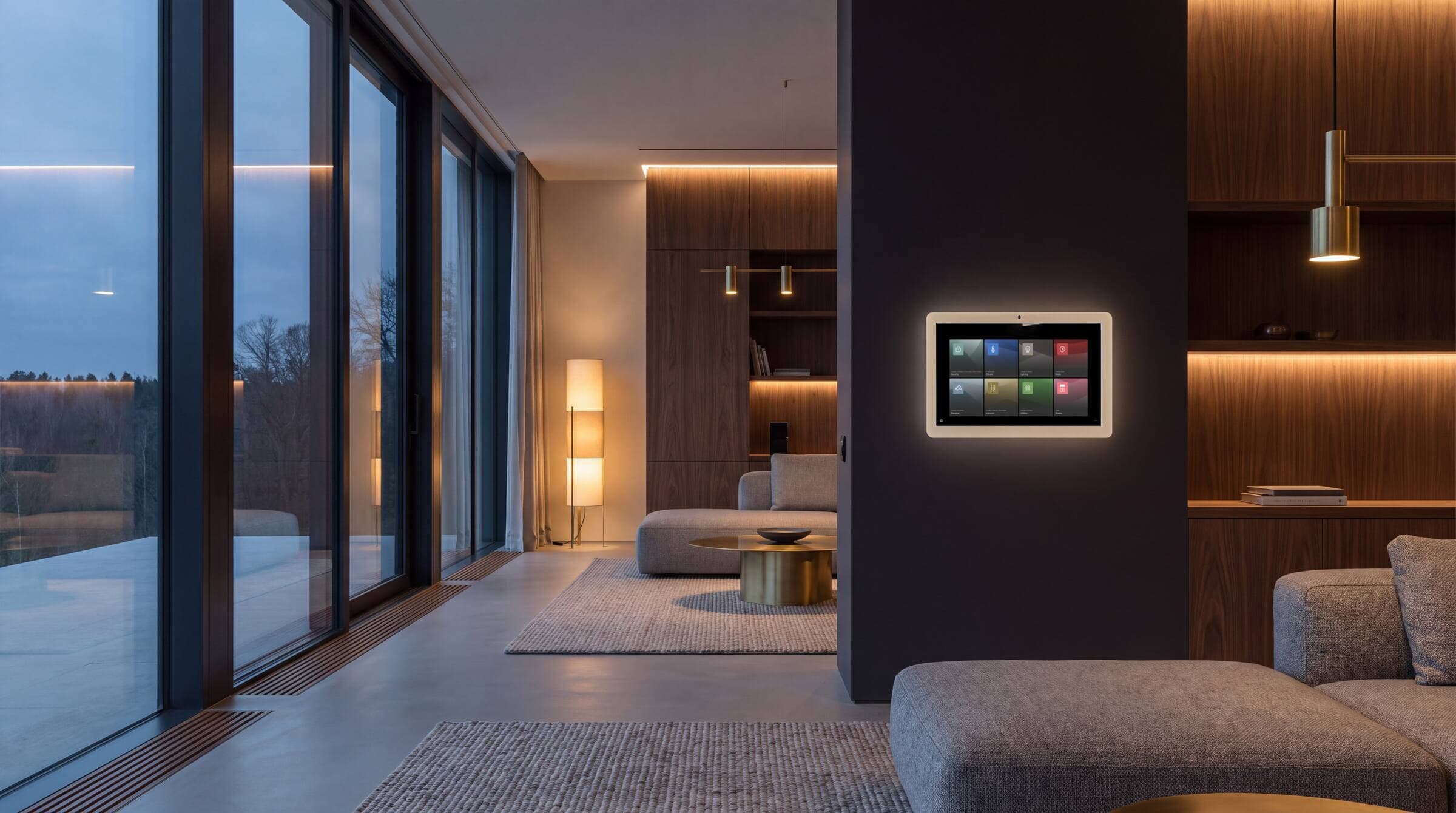
Lighting, shading, climate, entertainment, security, cameras, access, and more, brought together through one intuitive control system. We engineer the technology behind the scenes so your home responds simply and consistently from a keypad, touchscreen, remote, or mobile device.
The brief
One elegant interface for a house full of systems, and a house that mostly runs itself.
Serving
Atlanta, the metro suburbs, and North Georgia. Most often during new construction or a remodel.
Designed alongside
Overview
Whole Home Control
Every subsystem in a fine home arrives with its own app, its own logic, and its own remote. Left alone, a beautifully specified house becomes a house that requires instructions.
Whole-home control is the discipline of removing that. One platform sits above everything and presents it as a single, coherent home: an app on your phone, a keypad by the door, a touchpanel in the kitchen, all showing the same house and speaking the same language.
The real work is in the programming. Anyone can connect systems; making them behave the way a specific family actually lives takes conversation, observation, and revision, which is why programming is a stage of our process rather than a line on an invoice.
The connected home
Smart home control, at the touch of a button.
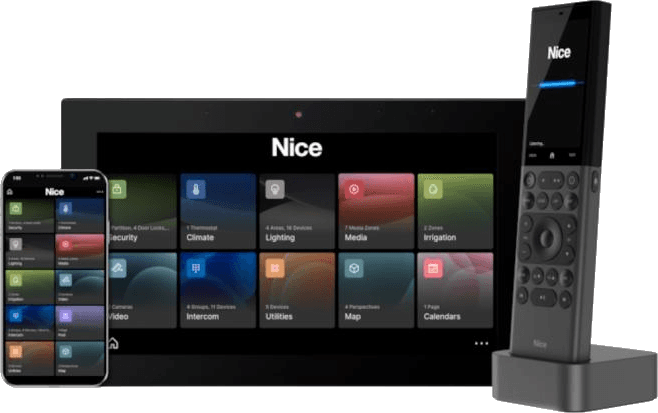
Manage the whole home from any device, through one platform that looks and behaves the same everywhere, so a connected home feels effortless instead of complicated.
The platform · ELAN
One platform, above everything.
Every subsystem in a fine home arrives with its own app, its own logic, and its own remote. ELAN sits above all of it and presents the house as one coherent system, the same home, speaking the same language, on every screen you touch.
Program the path lights to come up and the garage to open at seven each morning to let the dog out, or press one button to wake the whole house. The newest ELAN interface adds speed, deeper integration, and graphic tile navigation that stays simple and intuitive for everyone in the home.
Customization
Scenes and automations shaped to how one family actually lives, not a factory default.
Speed
A responsive interface that keeps up with you, on touchpanels, remotes, and phones alike.
Seamless integration
Lighting, climate, shades, audio, video, security, and surveillance, all under one roof.
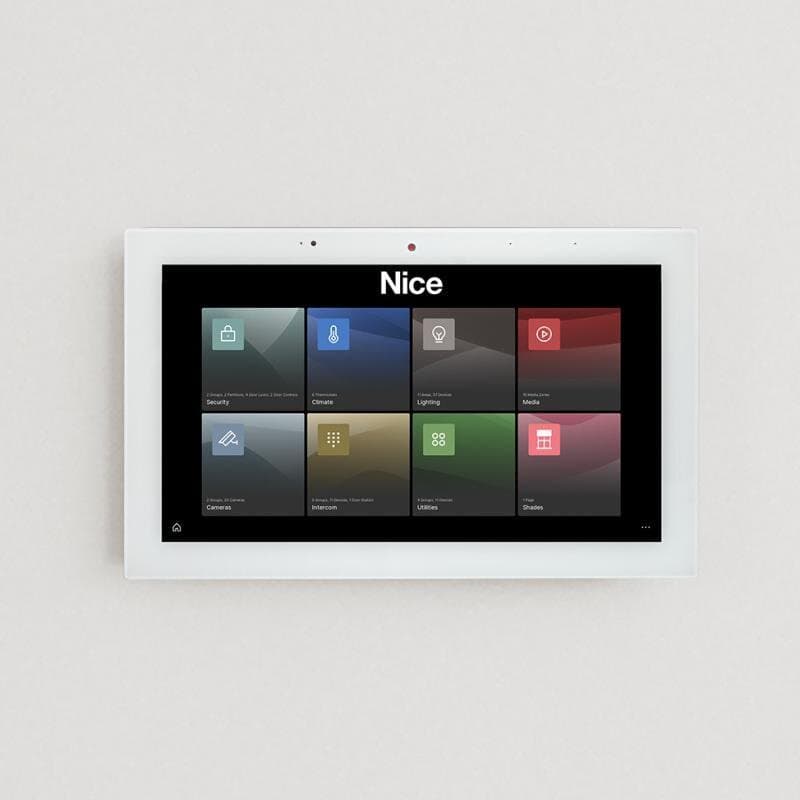
New themes.
The latest evolution of the ELAN interface lets you choose themes built around graphic tiles for top-level navigation rather than text menus. Simple, elegant, and intuitive, so the house is legible at a glance.
Recognized
Touch panels · Remotes · App
One experience, on every device.
The platform is consistent across every interface, so you choose the control that suits the moment and the room, and it always behaves the same way.
Get the app
The HR40
A remote worth picking up.
A high-resolution 3.1-inch touchscreen with swipe, scroll, and touch controls, and favorites you set yourself, an unhurried, tactile way to run media, lighting, climate, security, and surveillance from the sofa.
Voice
Hey Mylo,
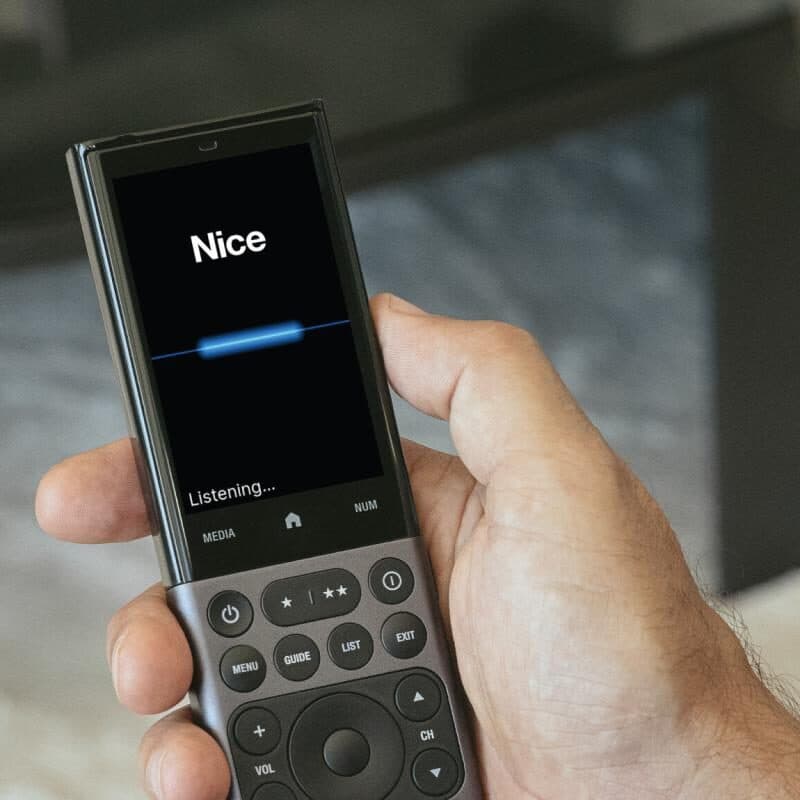
Step into the extraordinary with the award-winning natural-language voice assistant, natively integrated with the Nice ELAN Control System. Adjust the temperature, cue up entertainment, set the lighting, arm the alarm, just say the words.
Comprehensive control
Media, camera viewing, NVR playback, climate, lighting, shades, timer, and security, nearly everything the platform does, by voice control.
Location aware
Context-aware. Mylo understands your location and device preferences. To open the shades in the kitchen, you might simply say “Hey Mylo, open the shades” in that room.
Integrated and secure
Built directly into the Nice ELAN Control system, Mylo does not rely on third-party services, delivering unparalleled speed and security with encrypted data handling.
Video doorbell
Answer the door from anywhere.
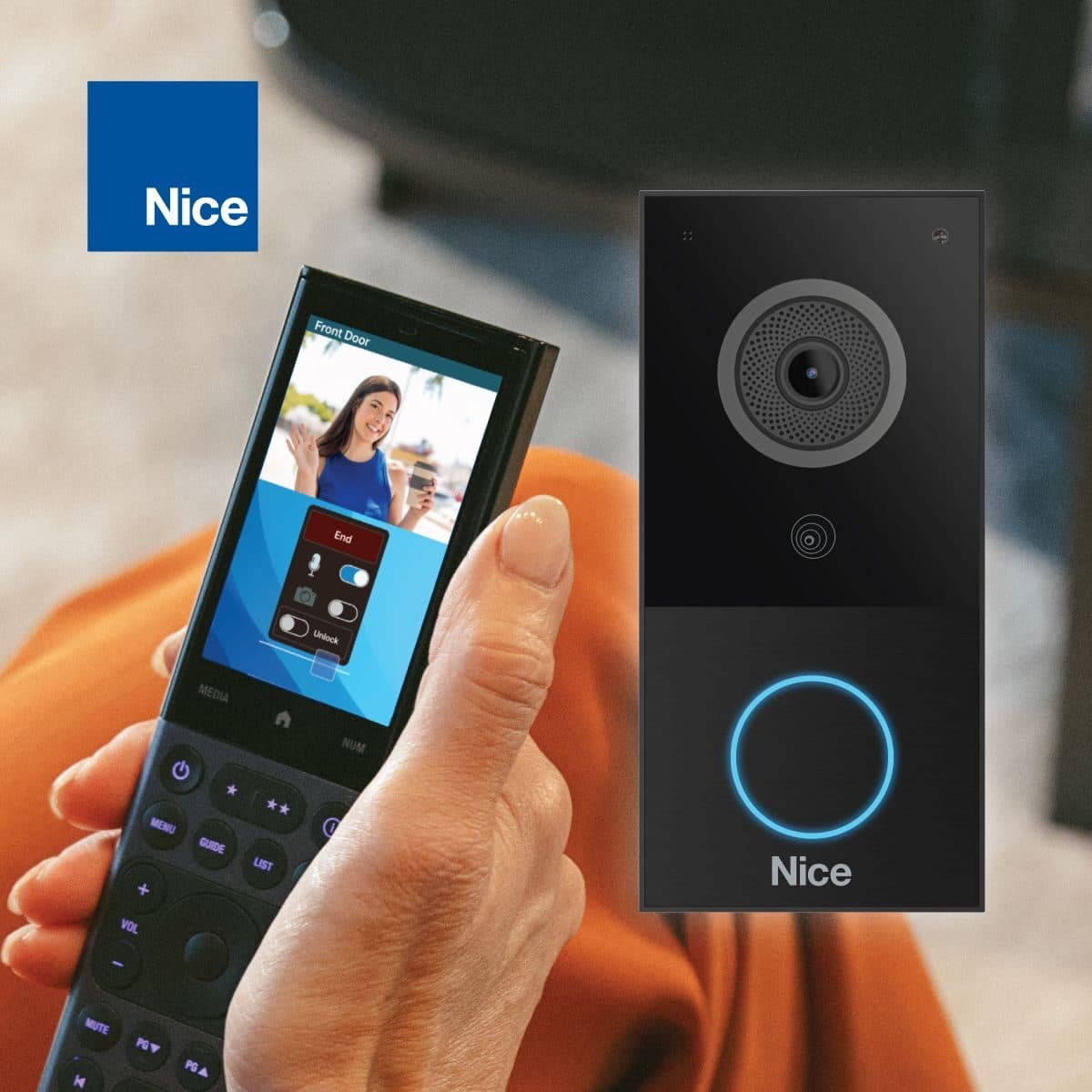
A low-profile, weather-rated doorbell that reads as part of the architecture, and works as part of the whole system. See and speak to whoever is at the door from a touchpanel, the HR40, or your phone, at home or across the world.
It combines elegance and simplicity in both design and use. Auto Discover and Auto Configure make installation quick and clean, and full integration with the platform means the doorbell also behaves as a surveillance camera, with reliable access and playback across every interface in the home.
- Refined, low-profile design
- Quick auto-configuration
- Doubles as a surveillance camera
- Wired or wireless
Surveillance
Eyes on every entrance.
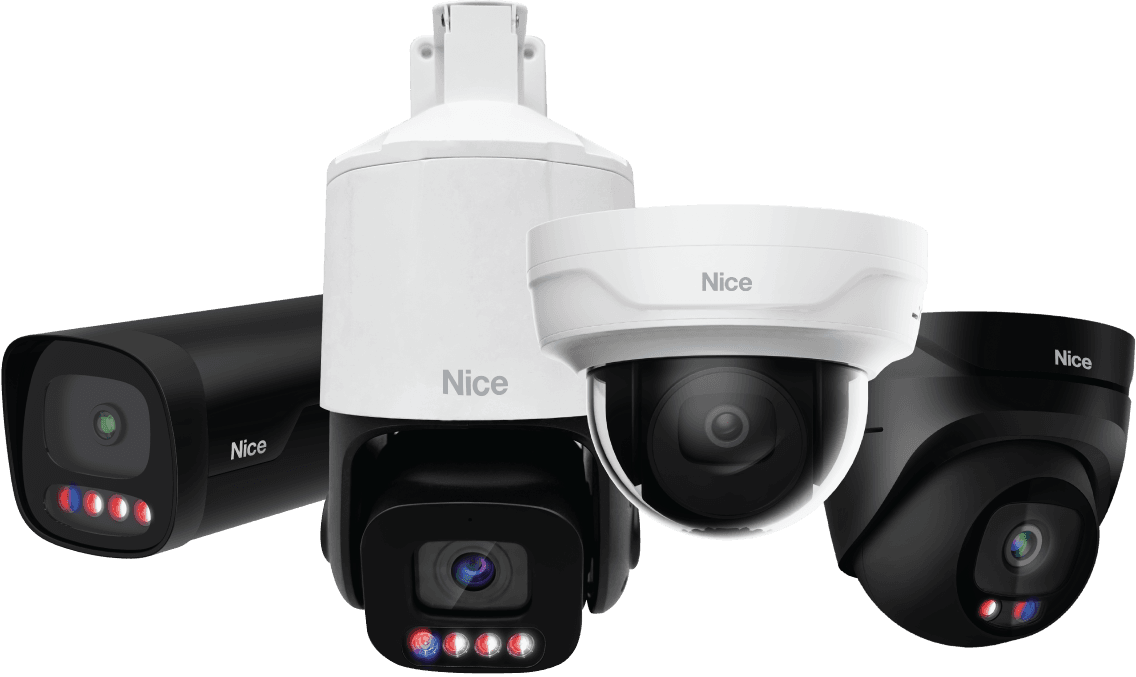
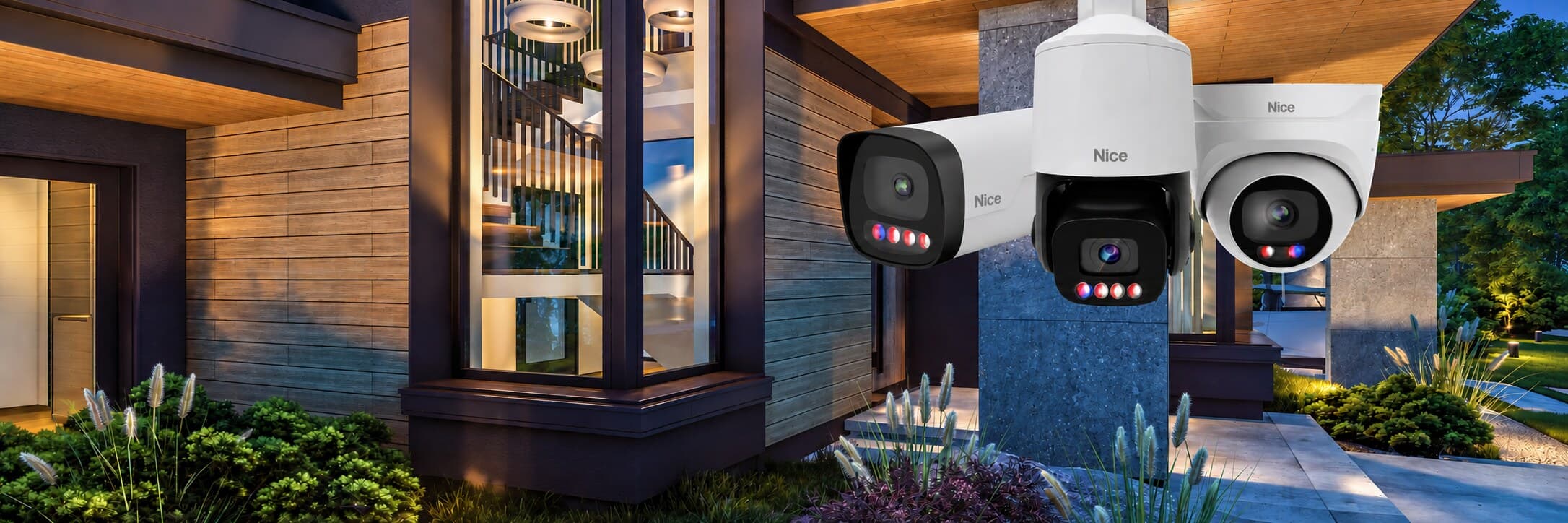
Cameras engineered for performance and reliability, and integrated cleanly into the same platform as everything else, so live and recorded footage lives on the touchpanels, the HR40, and your phone, not in yet another separate app.
How it changes the day
What this actually feels like to live with.

Arriving home
The gate recognizes you, the path lights up, the entry unlocks, the house comes to the temperature and light level you like at that hour. None of it required your attention.
Leaving
One press at the door: lights out, shades to their away position, climate set back, security armed, garage confirmed closed. No walking the house to check.
Away, but not out of touch
Check a camera, let a contractor in, confirm the house is secure, from anywhere, without a folder of apps.
Guests who need no briefing
Interfaces are labeled in plain language and laid out the way the house is laid out. Nobody has to be taught how to turn on a light.
Just say it
Voice control is built into the system itself, not added on top. It knows which room you are standing in, so “lights down” and “play something quiet” simply happen where you are.
Design considerations
What we’re thinking about while you’re thinking about the house.
These are the decisions that determine whether the finished result feels deliberate or approximate, and most of them are made long before installation.
- 01
The interface is the product
Homeowners never experience the wiring; they experience the screen and the keypad. Naming, layout, iconography, and hierarchy get designed with the same care as the millwork.
- 02
Design for graceful failure
Every light must still work if the network is down, and every lock must still open. We design so that the automation layer adds capability without ever becoming a single point of failure.
- 03
Build on a platform that will last
We select control platforms for longevity, dealer-level support, and a serious track record in residential integration, not for whatever launched most recently.
- 04
Every screen shows the same house
The wall touchpanel, the handheld remote, and the app on your phone share one layout and one set of names. Learn it once, in any room, and you know it everywhere.
- 05
Scenes come from your life, not a template
We start from how you actually use the house, what time you wake, where you eat, how you entertain, and write scenes from that. Then we revise them after you have lived with the system.
What clients ask for
The brief, in their words.
- One app and one interface instead of a dozen
- Scenes for morning, entertaining, film night, away, and goodnight
- Remote visibility and control while traveling
- A system the whole family can use without training
- Voice control that knows which room you are in
- Room to expand later without starting over
Questions
What people ask us.
What is a whole-home automation system?
It is a control platform that unifies your lighting, shades, climate, audio, video, security, and cameras into one interface, available as a phone app, an in-wall touchpanel, or a keypad, so the house is operated as a single system rather than as a collection of unrelated products.
How is this different from consumer smart home products?
Consumer products are excellent at single tasks and are designed to be self-installed. A professionally designed control system is engineered for the whole house: it is specified against your architecture, installed on dedicated infrastructure, programmed around how your family lives, and supported by the firm that built it.
What happens if the internet goes down?
A properly designed system keeps working. Control runs on your local network, so lighting, shades, audio, and scenes continue to operate normally, only remote access from outside the home and streaming services are affected. Every device also retains conventional manual control.
What control platform do you use?
ELAN, from Nice, is the orchestration layer in most of the homes we design. Home Audiomations is an ELAN Premier dealer. We choose it because it brings lighting, shading, climate, audio, video, cameras, and entry together on one platform, it is supported for the long term, and its interface is one families actually enjoy using.
Can I control the house by voice?
Yes. The voice assistant is part of the control system rather than a separate speaker, and it understands where you are. Ask for the lights, the shades, the temperature, a camera, or the music without naming the room. It can also page between rooms and quiets the music while you speak.
Can the system grow over time?
Yes, and most do. Many clients begin with lighting, shading, and one or two entertainment spaces, then add zones, cameras, or outdoor systems in later phases. Designing the infrastructure generously at the outset is what makes that straightforward later.
Do you handle smart home installation in Atlanta?
Yes. Home Audiomations designs and installs integrated home technology across Atlanta and North Georgia, most often during new construction or a remodel alongside the builder or interior designer. Every system we install is designed first and installed second, which is the order that produces a home worth living with.
Designed alongside
Related solutions
Begin
Let’s talk about whole home control.
Bring us your plans, your renovation, or just the thing that isn’t working. We’ll tell you what’s possible and what we’d do first.