
Networking
Every connected home starts with the network.
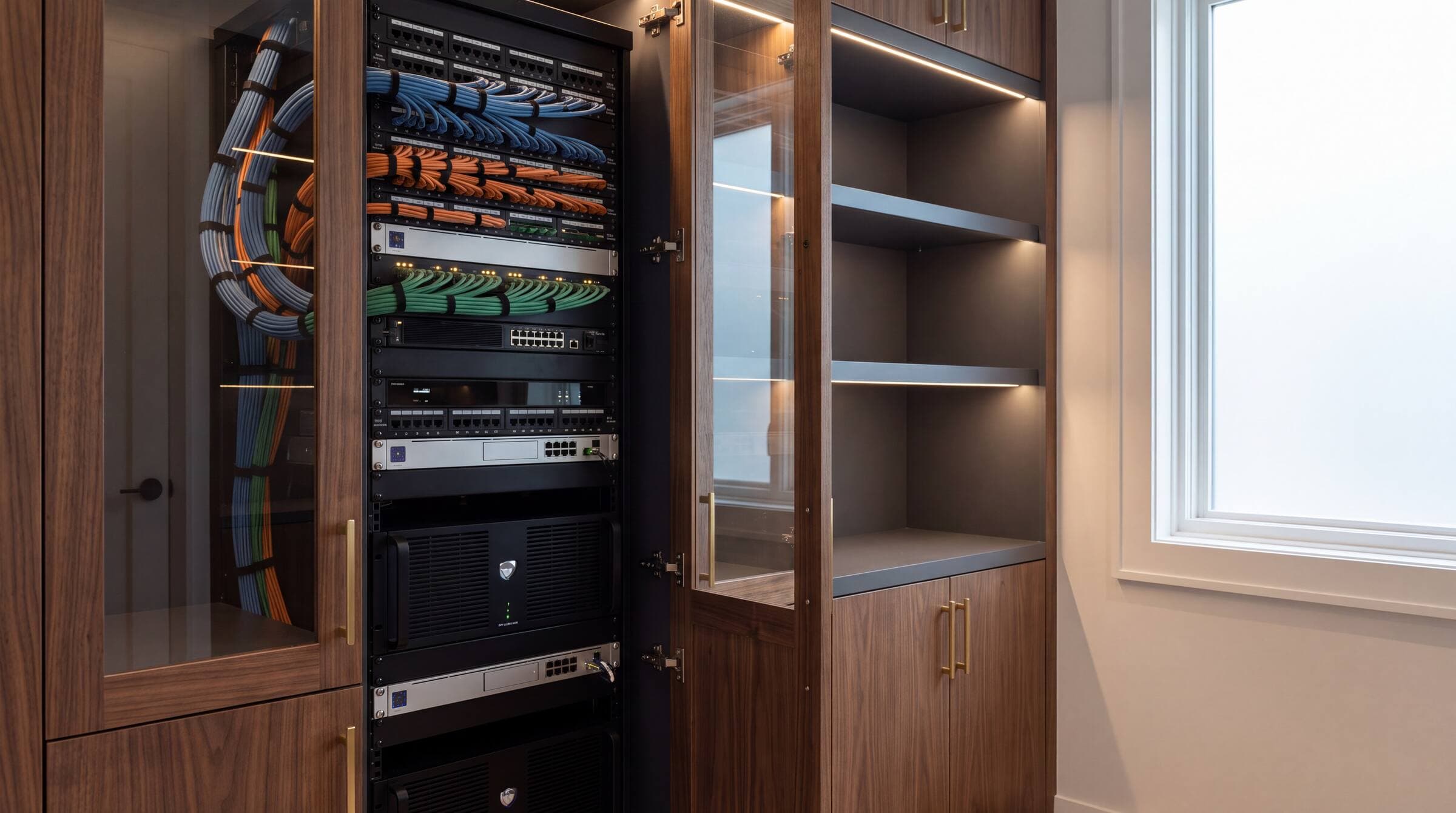
Every connected system ultimately depends on the network, which is why we engineer the infrastructure alongside everything it supports.
The brief
The foundation everything else stands on, engineered, monitored, and genuinely invisible.
Serving
Atlanta, the metro suburbs, and North Georgia. Most often during new construction or a remodel.
Designed alongside
Security & Surveillance · Whole Home Control · Distributed Audio Video
Overview
Home Networking
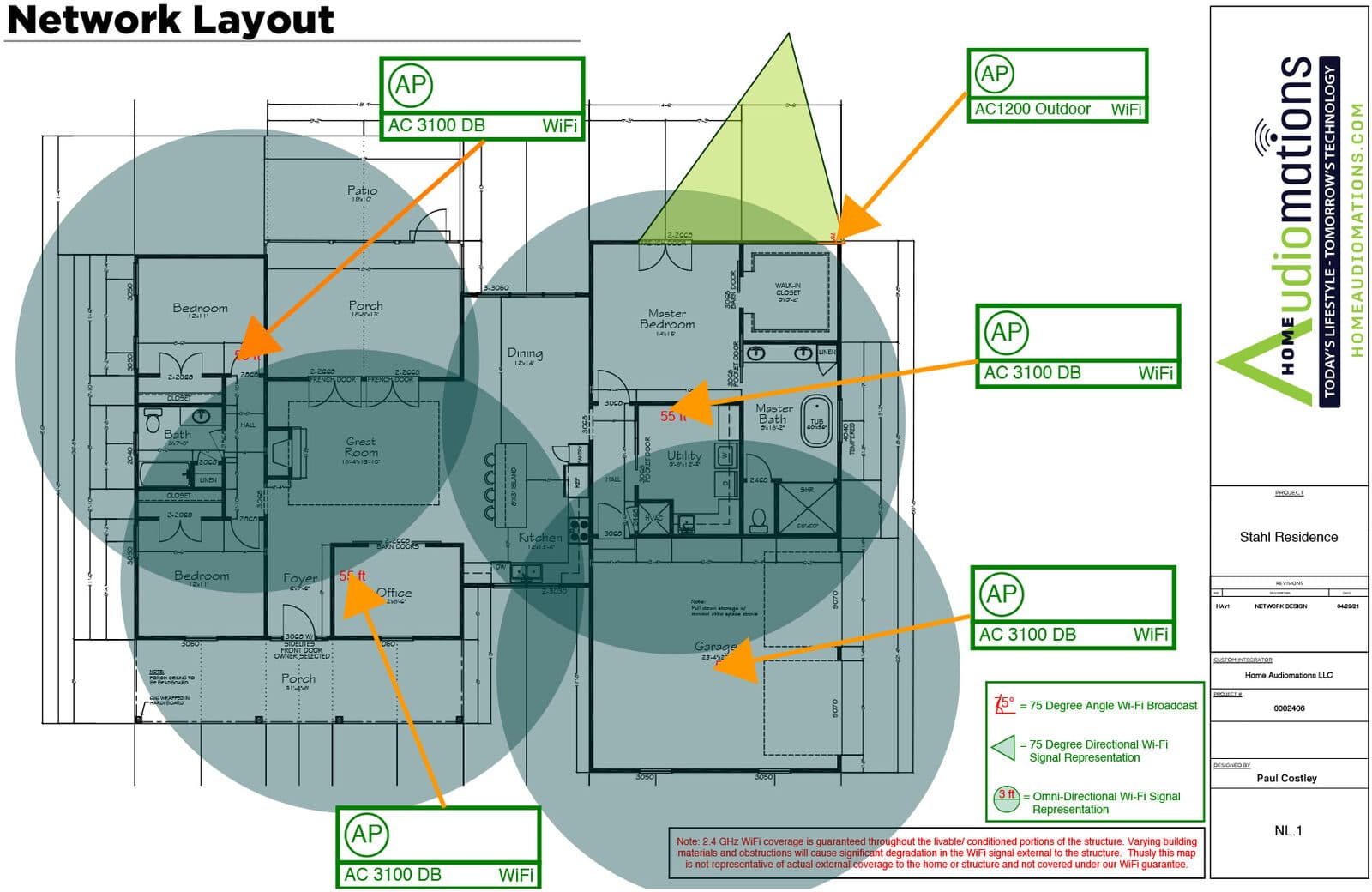
A large home is a hostile environment for a wireless signal. Stone, brick, plaster, steel framing, radiant floors, and low-E glass all attenuate it, and the router the carrier supplied was designed for an apartment.
We design residential networks the way a commercial project would be designed: a survey against the architectural plans, structured cabling to every location that will ever need it, purpose-placed access points, managed switching, and segmentation so cameras and controls are not sharing a network with guests.
Then we monitor it. Most network faults in a well-built system can be seen, and often resolved, before the homeowner notices anything at all.
Networks we build on



How it changes the day
What this actually feels like to live with.
Coverage everywhere you actually go
The primary suite, the far end of the terrace, the pool house, the garage, the dock. Coverage is designed against the plans, not hoped for.
Working from home properly
Calls that hold, uploads that finish, and a hardwired connection at every desk, because video conferencing on contested Wi-Fi is a bad way to spend a workday.
Guests without compromise
A separate guest network keeps visitors off the systems that run the house, with no awkward password sharing.
Fixed before you call
Remote monitoring flags a failing access point or a dropped circuit and, in many cases, resolves it before it becomes your problem.
Design considerations
What we’re thinking about while you’re thinking about the house.
These are the decisions that determine whether the finished result feels deliberate or approximate, and most of them are made long before installation.
- 01
Cable is the cheapest thing in the wall
Pulling generous structured cabling during construction costs very little. Adding it afterwards means opening finished ceilings. We plan for the house you will have in ten years.
- 02
Access points are placed, not scattered
Placement and power levels are designed against wall construction and materials. More access points, badly configured, make coverage worse rather than better.
- 03
Segmentation is security
Cameras, control systems, guest devices, and family devices belong on separate networks. It contains failures and it substantially limits what a compromised device can reach.
- 04
Racks need power, cooling, and access
Equipment lives in a ventilated, conditioned, serviceable location on clean, protected power, not in a hot closet behind a water heater.
- 05
Power is part of the infrastructure
Surges and everyday voltage swings quietly shorten the life of electronics. We specify power conditioning and protection for the equipment rack, and remotely manageable outlets so a frozen device can be restarted without a visit to the house.
What clients ask for
The brief, in their words.
- Reliable coverage across the whole property, including outbuildings
- Hardwired connections wherever they matter
- A separate, simple guest network
- Infrastructure ready for whatever gets added later
- Proactive monitoring rather than reactive service calls
Questions
What people ask us.
Why does my large home have poor Wi-Fi?
Almost always because the network was never designed. Large homes use materials that block wireless signal, stone, brick, plaster over lath, steel framing, radiant heating, and low-E glass, and a single consumer router cannot overcome them. The fix is a designed system of cabled access points placed against the floor plans.
Do I need hardwired network cabling if Wi-Fi is good?
Yes. Every wireless access point still needs a cable to reach it, and the more devices you add, the more the wired backbone matters. Structured cabling during construction is inexpensive and is the single decision that most affects how well the home performs a decade from now.
What is network segmentation and why does it matter?
Segmentation separates your network into isolated groups, cameras and control systems on one, family devices on another, guests on a third. If any one device is compromised or misbehaves, it cannot reach the others, which matters a great deal when cameras and door locks are on the network.
Can a frozen device be restarted without someone coming to the house?
In most cases, yes. When the rack is built on remotely manageable power, we can restart a stuck modem, router, or streaming device from our office in a few minutes. It is one of the quiet advantages of HA 360.
Do you monitor and support the network after installation?
Yes. Ongoing support is part of how we work. Remote monitoring lets us see faults as they develop and resolve many of them without a site visit, which is the difference between a brief interruption and a lost evening.
Designed alongside
Related solutions
Begin
Let’s talk about networking.
Bring us your plans, your renovation, or just the thing that isn’t working. We’ll tell you what’s possible and what we’d do first.